Backpack
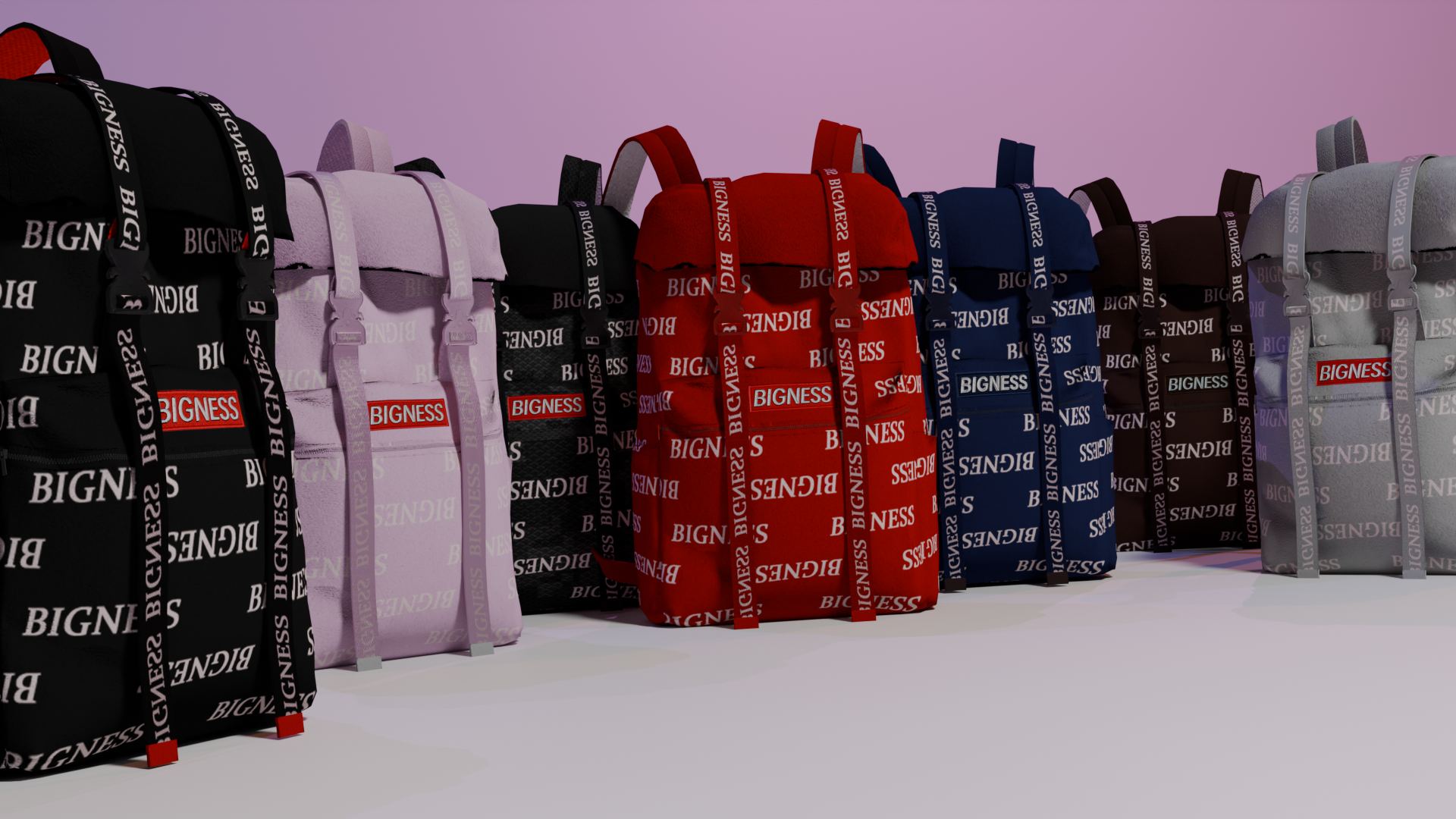
Bigness Backpack
Bigness Backpack Pack (Addon) - GTA V / FiveM
Take your character style to the next level with the Bigness Backpack Pack, a collection of modern backpacks featuring a bold and recognizable design. Inspired by contemporary streetwear, this pack includes multiple color variations with detailed textures and the iconic "BIGNESS" branding across the entire model.
Features
- Optimized 3D models for GTA V / FiveM
- Multiple color variations (black, white, red, blue, brown, grey, and more)
- High resolution textures with repeating "BIGNESS" pattern
- Clean and stylish urban design
- Perfect for RP servers and character customization
- Fully compatible as an addon (dlcpack)
Pack Content
- Backpacks with multiple colorways
- Files already configured for addon usage
- Organized structure for easy installation
Installation (Single Player - GTA V)
1. Go to your GTA V main directory
2. Navigate to: mods/update/x64/dlcpacks/
3. Create a new folder, for example: bignessbackpack
4. Place the mod files inside this folder
5. Then go to: mods/update/update.rpf/common/data/
6. Open dlclist.xml
7. Add the following line: dlcpacks:/bignessbackpack/
8. Save and launch the game
Installation (FiveM)
1. Go to your server folder: resources/
2. Create a folder, for example: bignessbackpack
3. Place all pack files inside it
4. In your server.cfg, add: ensure bignessbackpack
5. Restart your server
Notes
- A clothing menu or compatible wardrobe script may be required to access the backpacks
- Recommended for use with frameworks like QB-Core or ESX
- Always make a backup before installing
Bigness Backpack Pack is not just an accessory, it is a statement. Your character does not just show up, they own the scene.